

Family app for kids aged about 6 to 16 · the app is in Dutch
Chores split fairly, without the nagging.
Chores rotate on their own, your kids tick off their own list and you approve with stars. With points, badges and one calendar for the whole family.
- No ads
- A parent creates the family
- Data in the Netherlands
The screens are real recordings of the app with a made-up family; the photos at home were made with AI. The app is in Dutch.
How it works
Real recordings of the app (in Dutch), with the made-up Jansen family: Noor (10), Daan, Mila and mum Sanne.
Your child ticks it off
Noor sees her own chores for today, with points. Ticking one off is a single tap. If a parent still has to check, it says so (“Wacht op een ouder”).
You approve, with stars
One to five stars. 4 or 5 stars add bonus points. Not done properly? “Do it again” sends the chore back.
One calendar for everyone
Swimming, football, grandma’s birthday. Every appointment shows who is going, in month, week or day view.
Points, streaks and badges
Every chore earns points, and doing something every day builds a streak. Badges come in bronze, silver, gold and rainbow.
Rather see it in 40 seconds?
A short film without sound, with the same steps and the kitchen tablet.
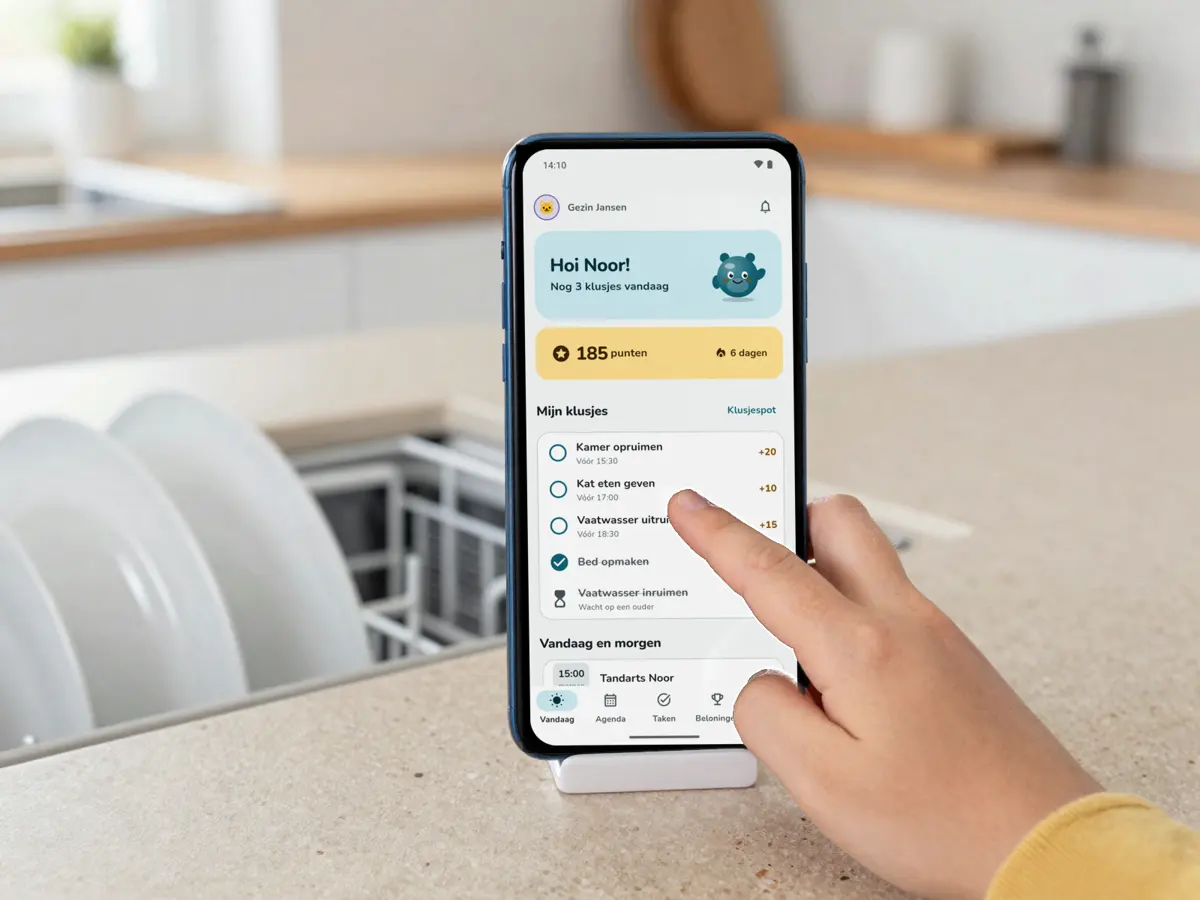
Not always the same one at the dishwasher
Recurring chores rotate on their own. You set them up once, the app keeps track of whose turn it is.
- Whose turn is it?
- Per chore you choose: take turns, split fairly, random or pick yourself. Daily, weekly or monthly, worth 5 to 100 points.
- AI week plan
- A suggested split of a whole week of chores, planned around appointments. You review and change it before it goes ahead. Free: 3 a month.
- Chore pot
- Loose chores without a name on them. Whoever takes one gets the points.
- Fairness overview
- How many chores each family member did this week, this month or ever, so you can see where it is lopsided.
You stay in charge
The app is for the whole family. The family, the choices and the purchases belong to the parents.
- A parent creates the family
- And invites the others with a code. Kids under 13 get the child role, older kids the teen role.
- No phone? No problem
- If your child has no phone of their own, tick it off on yours. The points go to the child.
- Parent lock
- Purchases and links outside the app sit behind a sum meant for adults.
- Leaderboard
- Who did the most this week or this month? Parents take part too.
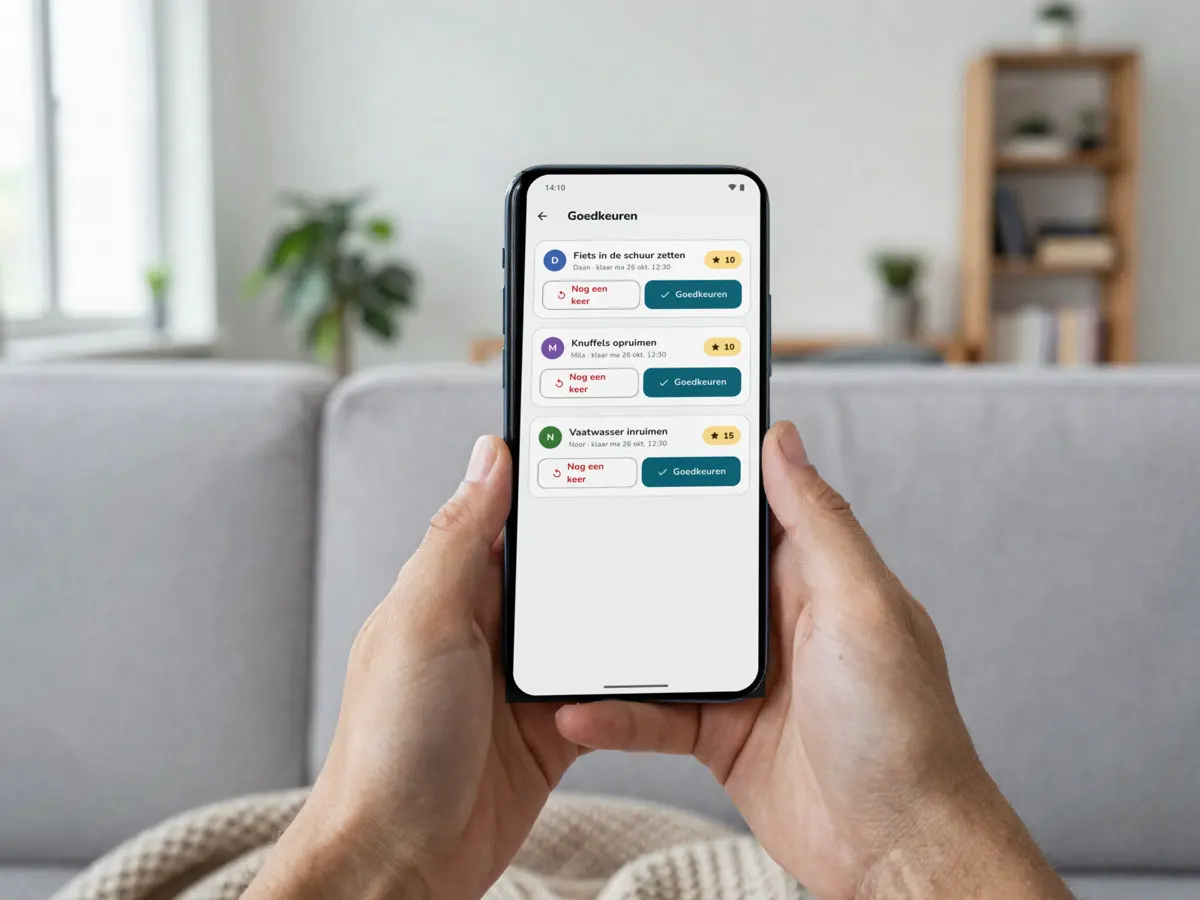
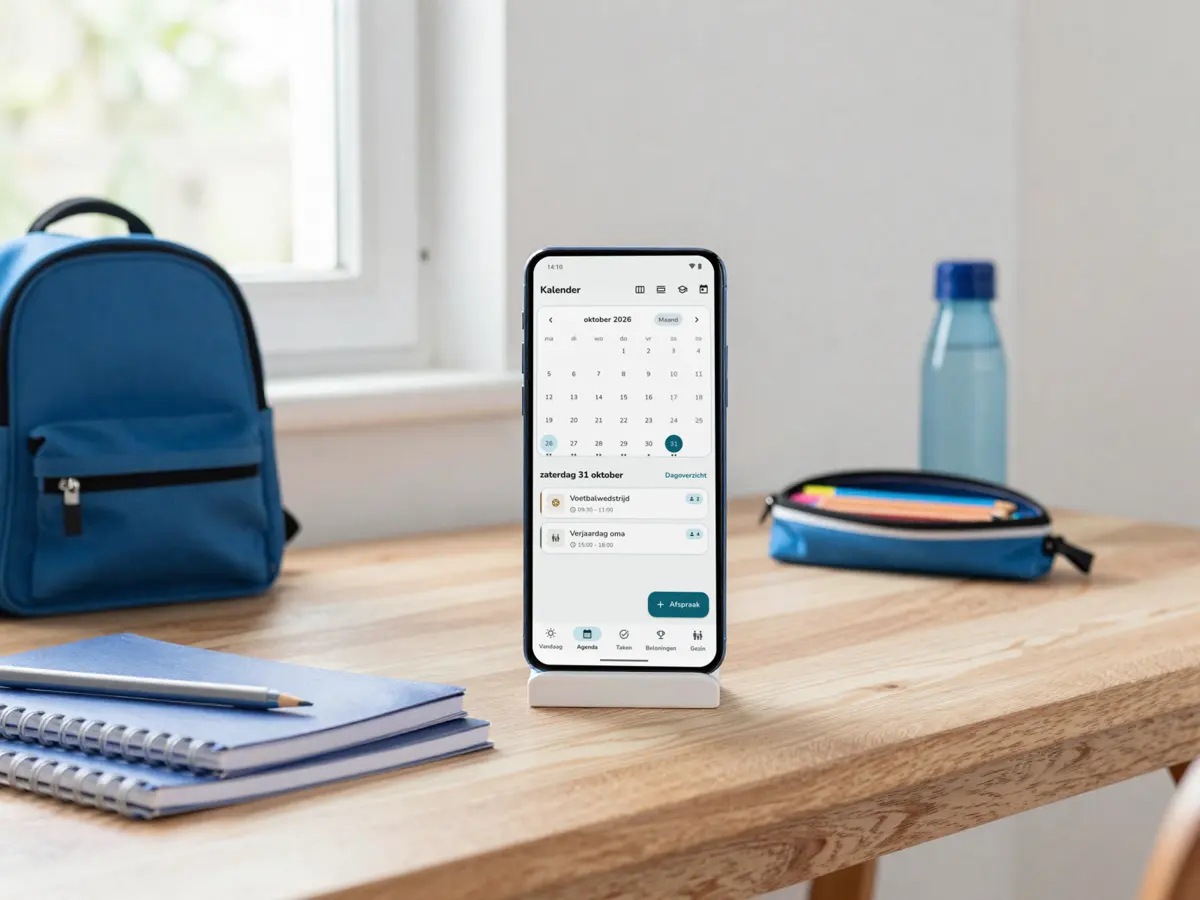
Everyone’s week in one place
The family calendar sits next to the chores. So whoever has football on Wednesday gets no chore from the week plan that evening.
- Month, week and day views
- Recurring appointments, like swimming on Wednesdays
- Who is going, per appointment
- A type per appointment: school, sport, appointment or family
What you see, and what your child sees
Plain screens from the app, at real size. Light, calm, and easy for kids to read themselves. The app is in Dutch.
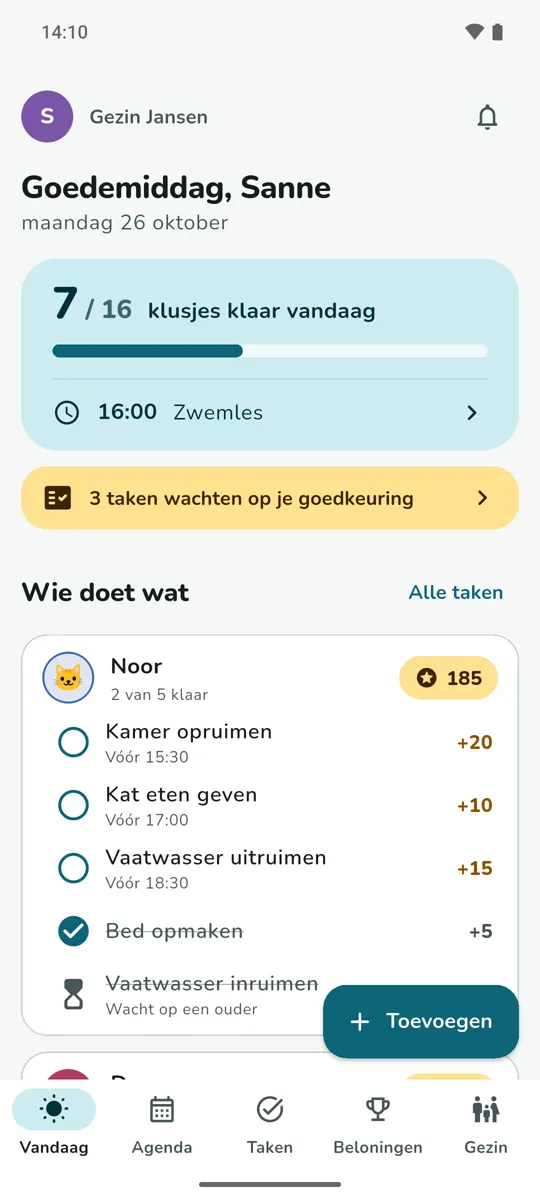
Your family board 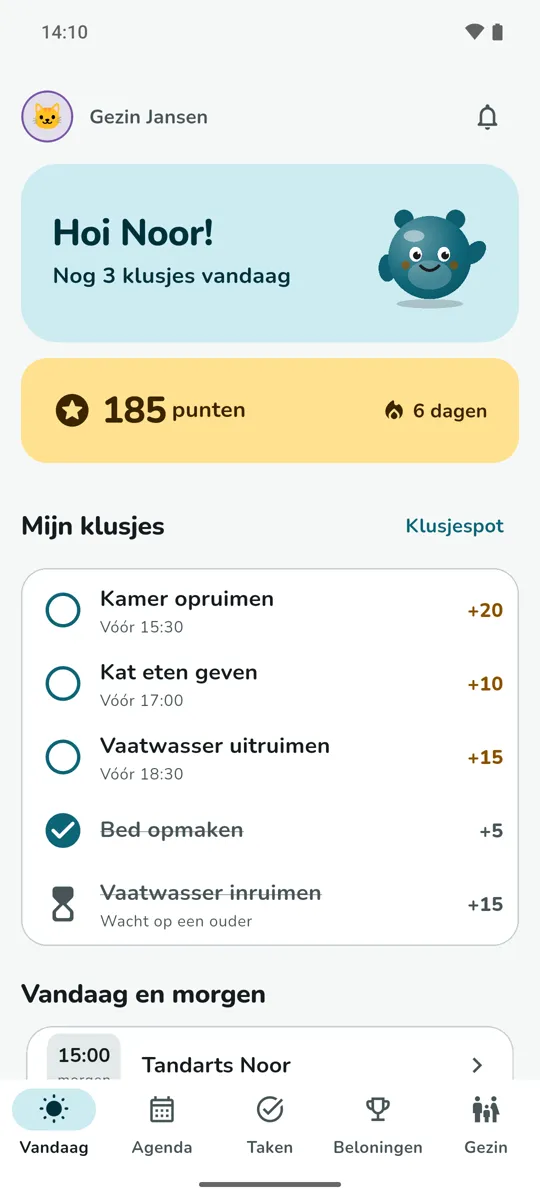
Noor’s list 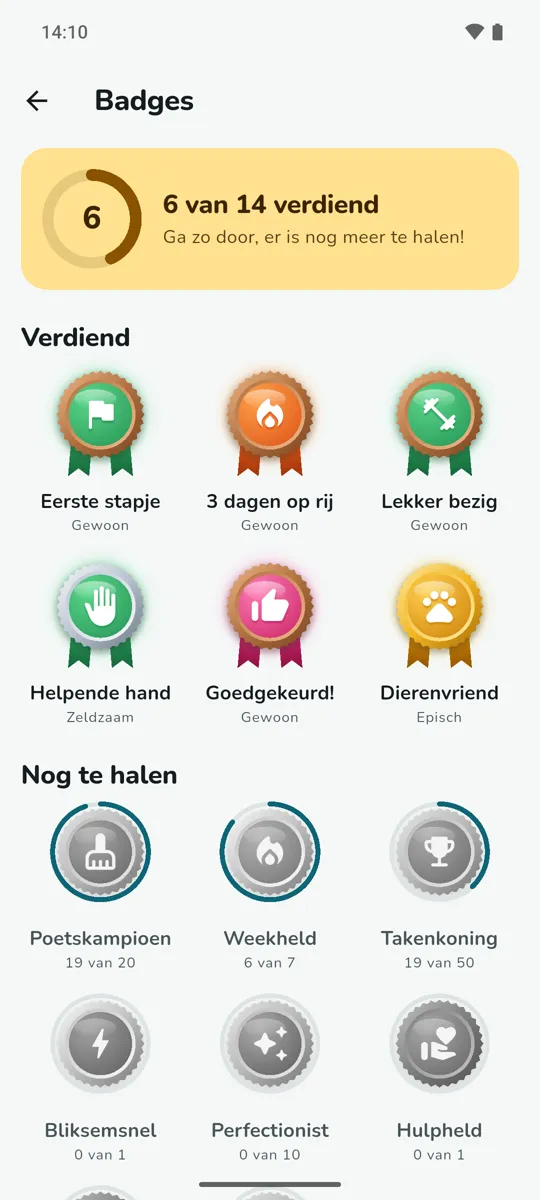
Noor’s badges
Who does what, on the kitchen tablet Premium
Put a tablet in kiosk mode and everyone sees today’s appointments and chores. Leaving it takes a PIN.
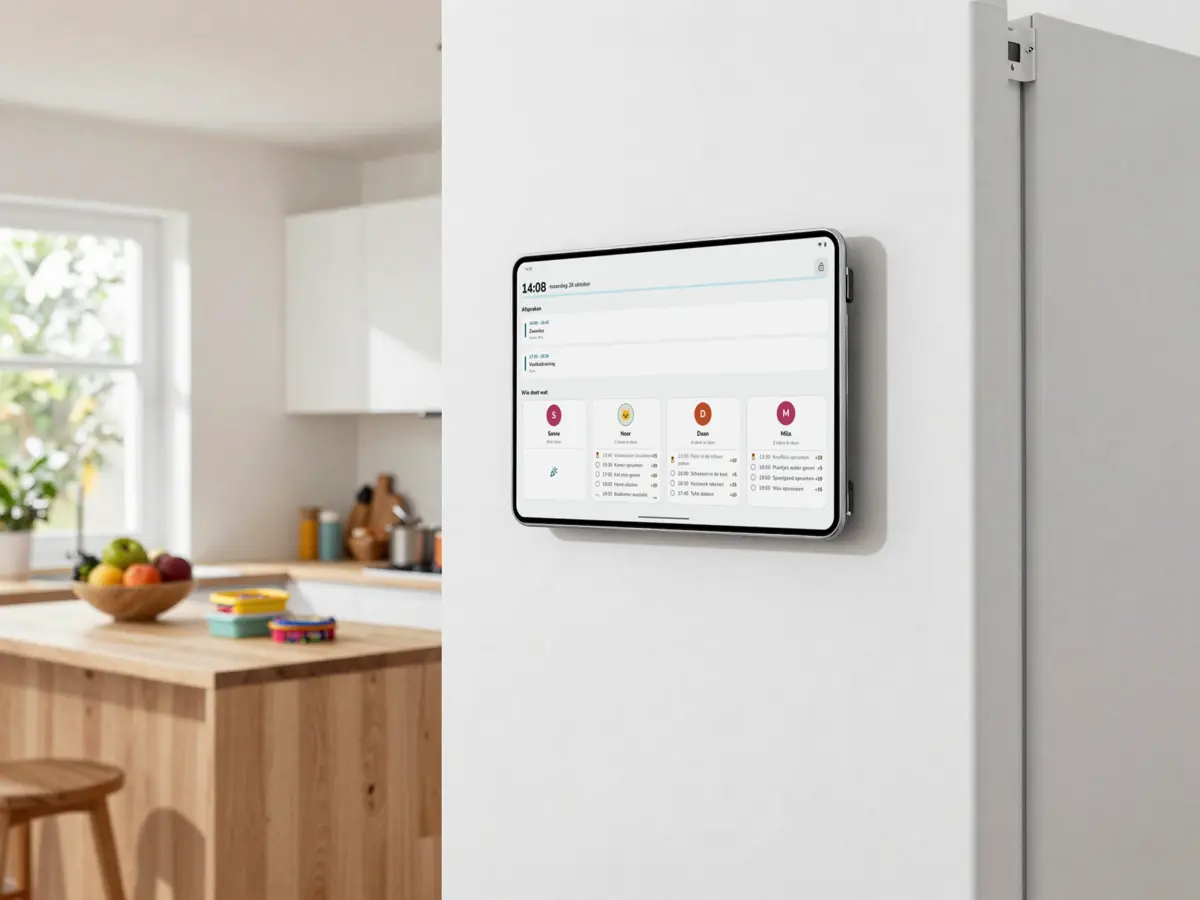
- Kiosk mode Premium
- The family board on a kitchen tablet, only to be left with a PIN.
- Sitters and grandparents Premium
- Invite them with a six-digit code, for a period you choose.
- Homework coach Premium
- For teens with a test: a study plan with reviews after 1, 3, 7 and 14 days and practice questions.
- Five themes
- Family, Evening, Jungle, Candy and Space. Everyone picks their own, all free.
Privacy without the small print
Kids use this app themselves. What happens to your data, in two lists. The full story is in the privacy policy.
What the app does not do
- No ads
- In no version at all, and no ad or analytics code in the app.
- No AI company
- The AI week plan and the homework coach run on our own hardware in the Netherlands. Your data trains no AI.
- No date of birth, school or location
- A child is a name, a role and an avatar. Kids need no email address.
- No purchases by kids
- Buying only works after the parent lock. Payment goes through Google Play; we see no payment details.
Where your data lives
- Family data
- On our own server in a Dutch data centre, with backups. No outside database.
- The connection
- Encrypted via Cloudflare, which only passes it on and stores no app data.
- AI suggestions
- Only go ahead once a parent approves them.
- Deleting
- You delete your account and all family data yourself in the app, and it happens straight away.
What it costs
Free really is free: no ads and no end date. One purchase covers the whole household.
Free
€0
To get started, for as long as you like.
- 1 household, up to 2 children
- Calendar, chores, points and streaks
- 3 AI week plans a month
- 7 badges
- All five themes
Premium
€4.99 a month
Or €39.99 a year, which is 33% cheaper. 14 days free first.
- Unlimited children
- Unlimited AI week plans
- Kiosk mode, homework coach and sitters
- All badges
Family Unlock
€24.99 one-time
No subscription. Pay once.
- Everything in Premium
- With 3 AI week plans a month
Prices include VAT. You pay nothing during the beta; Google Play will show the final price. You cancel in Google Play. Prices side by side
Questions from parents
What age is it for?
For families with kids aged about 6 to 16. Kids under 13 get the child role, older kids the teen role. Teens can also use the homework coach.
Does my child need their own phone?
No. A parent can tick off chores for a child profile; the points go to the child. If your child does have a phone, link it with an invite code.
Does it work on iPhone?
Not yet. The beta is for Android. An iPhone version follows. Pick iPhone when you sign up and we will let you know.
What exactly does the AI do?
Two things: a suggested split of a week’s chores, and a study plan for a test. Both run on our own hardware in the Netherlands, not at an AI company. A suggestion only goes ahead once a parent approves it.
Can my partner join?
Yes. Create an invite code with the parent role in the app. The code works once and is valid for three days. A subscription covers the whole household.
Can my child buy something by accident?
No. Purchases and links outside the app sit behind the parent lock: a sum a parent solves quickly. There are no ads.
Try it with your own family
The app is in a closed test on Android, in Dutch. Leave your email address and you get one email as soon as you can join. We ask nothing about your children.